
Powershell中给Git设置代理
Powershell中给Git设置代理
为了方便我们使用快捷命令:
1 | notepad $PROFILE |
如果报错:
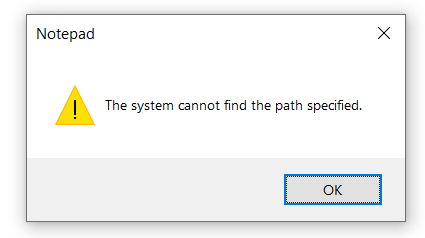
我们就先执行:
1 | New-Item -Path (Split-Path $PROFILE) -ItemType Directory -Force |
接下来在文档中输入:
1 | # 开启git代理 |
然后回到Powershell中:
1 | . $PROFILE |
无编译错误
使用:
1 | gp-on # 开启代理 |
本博客所有文章除特别声明外,均采用 CC BY-NC-SA 4.0 许可协议。转载请注明来源 zhangxixi的博客!
相关推荐

2026-05-01
Git安装记录
Git安装记录 本文搬运自本人高中时期CSDN博客,若图片加载不出来,可到原文查看:https://blog.csdn.net/zhangtingxiqwq/article/details/160683597 尝试安装Git,很顺利,但是中途配置了很多步,都不太懂,基本上是问ai的。现在在这些记录下来,以后想查看我配置的路劲是用。 1 https://git-scm.com/download/win 2 🖱️ 一、Additional icons(额外图标) 12[ ] Additional icons├─ [ ] On the Desktop(桌面快捷方式) 作用 :是否...

2026-05-31
hexo博客上传github page
hexo博客上传github page 本文搬运自本人高中时期CSDN博客,若图片加载不出来,可到原文查看:https://blog.csdn.net/zhangtingxiqwq/article/details/161562364 在github上新建仓库,仓库名必须严格为 用户名.github.io, 并在setting里打开github page的设置 在 _config.yml 加入: 1234deploy: type: git # 部署类型,如 git, heroku 等 repo: https://github.com/2008zhangtx-oss/20...
2026-05-23
Git基础命令学习笔记
Git基础命令学习笔记 本文搬运自本人高中时期CSDN博客,若图片加载不出来,可到原文查看:https://blog.csdn.net/zhangtingxiqwq/article/details/161336335 你现在在你的文件夹内打开cmd 开始 1git init 修改 12git add . git commit -m "version1" 在本地随便commit都没有任何问题,不会上传到github,方面本地备份代码。 上传github 先在github上建一个仓库 第一次推送 12git remote add origin 仓库地址gi...