Python Input & Output
Python Input & Output
Input
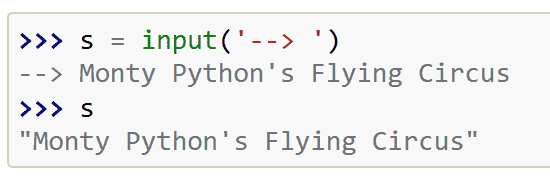
reads one line from stdin and returns a str
Get an integer : s=int(input())
The usage of Prompt:
EOF
EOF = End of File
当读到EOF,input()会报出 EOFError,比如:
1 | # 假设这段代码在等待输入 |
Auditing Event
Raises an auditing event builtins.input with argument prompt before reading input
Raises an auditing event builtins.input/result with the result after successfully reading input.
本质:触发了input事件或者用户输入完input事件时向系统监视提出报告
1 | import sys |
运行结果是:
1 | [监控系统] 警告:程序准备要求输入了!提示语是:'请输入你的名字: ' |
1 | print(*objects, sep=' ', end='\n', file=None, flush=False) |
-
object:可以多个,
print("a", "b", 123)这些都是object -
sep:
sep='-'中间的间隔 -
end:结尾是什么
-
file:默认sys.stdout,但可以这样:
1
2
f = open("test.txt", "w")
print("Hello", file=f) -
flush:是否启用缓冲流,可以用
flush=True来取消
Sys
Basic Usage
-
sys.stdin.readline()reads one line from stdin -
s.strip(): Remove a new line and extra space -
sys.stdout.write(text)writes text without adding a newline -
sys.stdin.readlines()reads all remaining lines from standard inputReturns a list of strings
Use .strip() for each line, then output what you need
Example:
一行读入多个整数
1 | import sys |
读入多行,每行多个整数:
1 | import sys |
Buffering 缓冲机制
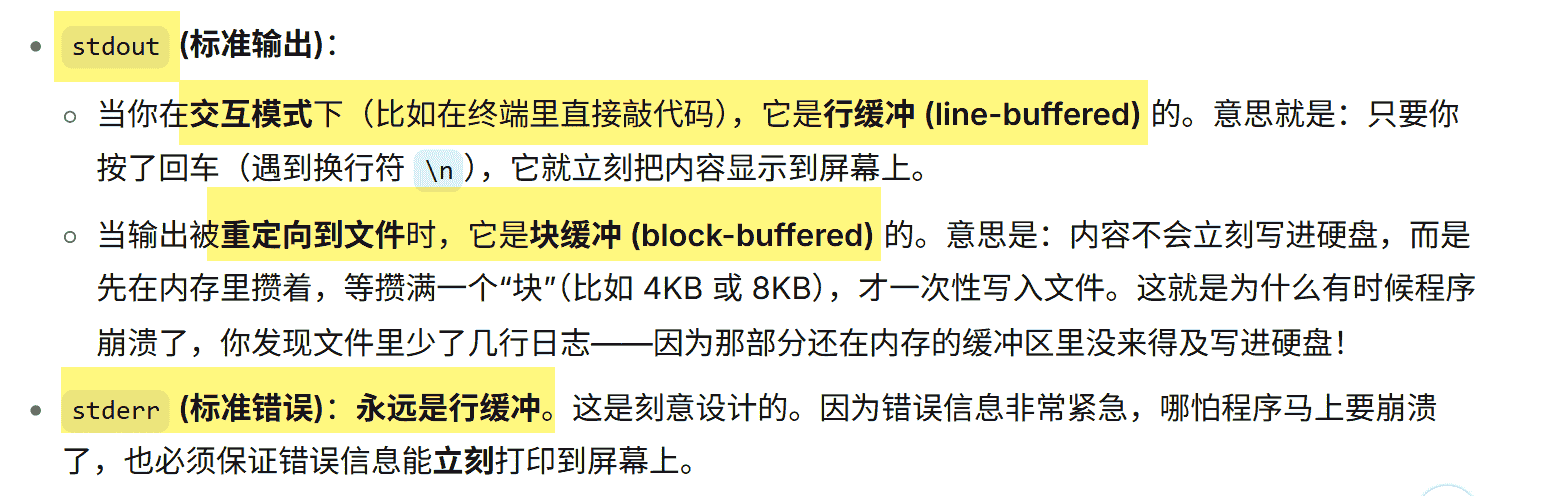
取消缓冲:
1 | python -u script.py |
读入整数
提前知道有多少个整数的方法:
1 | a, b, c = map(int, input().spilt()) |
如果更多,可以使用迭代器:
1 | data = list(map(int, input().split())) |
如果读完了还在访问,会抛出 StopIteration 的异常。
如果读入顺序不重要,可以这样:
1 | nums = list(map(int, input().split())) |
这种做法只适用于读入的是int,如果读入的是很多东西,还是回到使用:
1 | line = sys.stdin.readline().split() |
f-string
对于输出的时候,不需要用恶心的+连接了,可以这样:
1 | print(f"我叫{name},今年{age}岁") |
而且有更高级的操作,比如运算:
1 | print(f"a + b = {a + b}") # 输出: a + b = 30 |
调用函数,比如大写:
1 | name = "python" |
定义格式,比如保留2位小数:
1 | price = 3.14159 |
甚至可以在里面写条件表达式:
1 | score = 85 |